To purchase the "Retail & Supermarket" dataset:OpenEmbodied Data Inventory Pagefilter by scenario, select the number of hours, add to cart, and submit a quote. Schedulable hours, pricing, and whether annotation is included are subject to what is displayed on the page at the time and the written order.
When purchasing data for retail stores, the path should be verifiable: filter in the store, enter hours, submit a quote, and await a written response. Shelf heights, price tags, customer traffic, and restocking cadence all coexist, so capture must see both the shelf and the hand. Browsing and submitting quotes incur no deposit according to the current solution page; transaction terms are governed by the order.
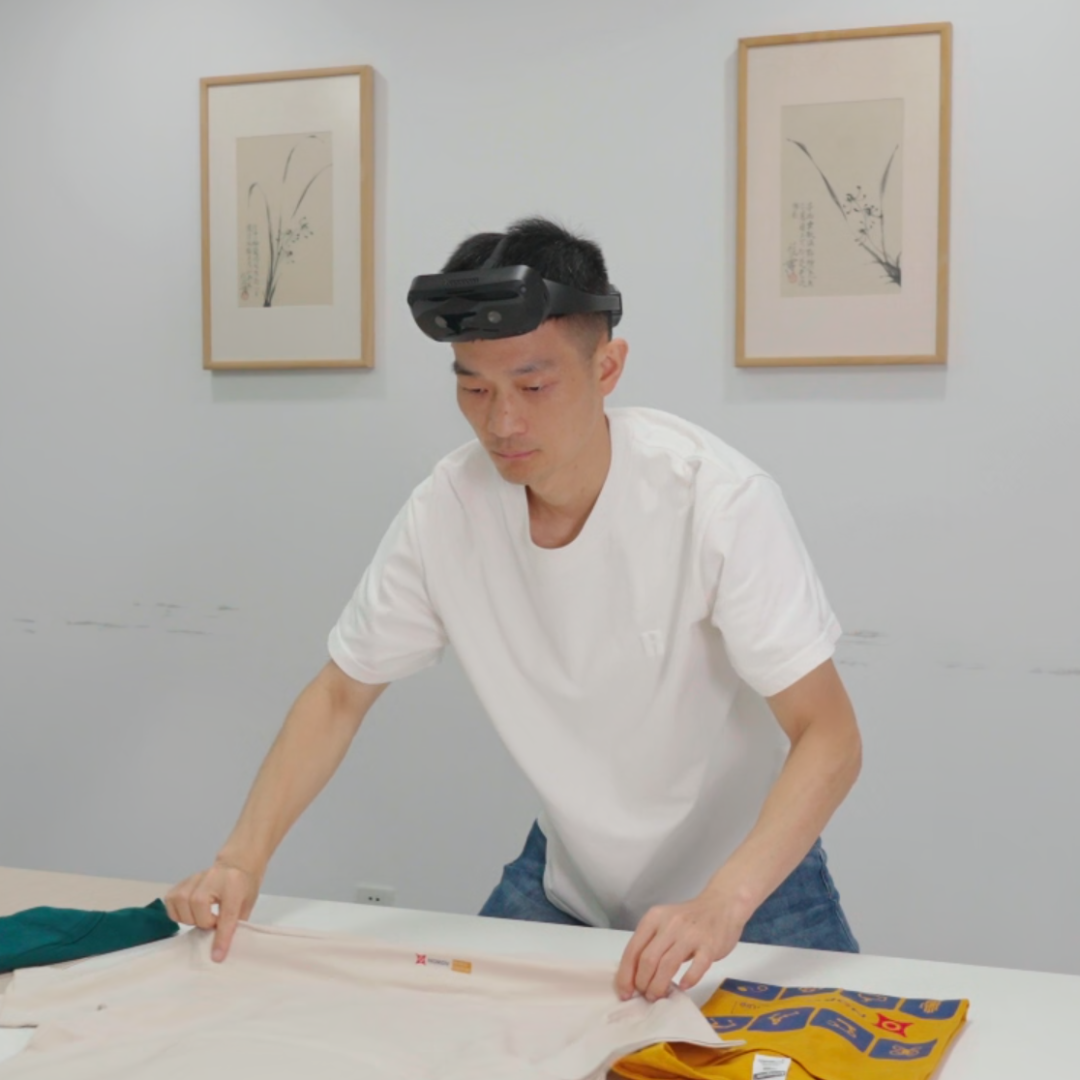
Scenario Understanding: Define Constraints First, Then Hours
In retail and supermarkets, whether objects, hands, containers, lighting, and other people appear in frame determines whether a clip can be reused a second time. Hours are a procurement unit, not a quality unit. Usable hours should refer to the effective duration that passes the agreed checks, not the device's powered-on time. If a batch of material has a high proportion of wasted footage, the correct approach is to return to the specification and the site, not to report gross hours to the buyer.
TOBI Technology's capture capabilities in this scenario focus on head-mounted Ego and optional wrist-mounted and positioning modules: recording what the operator sees and end-effector details, and providing specification versions and calibration records per order. This does not automatically mean the robot has learned the skill, nor does it replace the buyer's safety assessment. When real-robot teleoperation or dexterous hand contact data is needed, the sensors should be specified separately in the requirements sheet to avoid conflating them with head-mounted video as a single deliverable.
Recommended fields to retain for each clip
- Scenario category and secondary task name
- Start and end states; is it bimanual?
- Primary objects and containers
- Device serial number, specification version, calibration record number
- Are the head-mounted and wrist-mounted devices on the same clock?
- Authorization number; if others are included, have they been de-identified?
- Are successes and failures stored separately?
These fields make retail and supermarkets searchable. Long videos without these fields can only serve as raw footage pools, not as trainable deliverables.
Tasks corresponding to the solution page catalog
The following names come from the in-stock catalog on TOBI's Solutions page, categorized under "Retail and Supermarket" as second-level tasks. They are provided to illustrate how to break down tasks and do not indicate that every item has the same schedulable hours. Before placing an order, please verify by filtering by scenario in the store.
- Convenience Stores & Supermarkets. If you only need this item, search for the task name in the store, enter the number of hours, and submit a quote. Custom supplementary collection is handled via a requirements form and is not bundled with in-stock hours as a single verbal commitment. In retail and supermarket settings, it is recommended to create a separate task label to avoid mixing it with adjacent tasks in the same long recording.
- Coffee shops. If you only need this item, search for the task name in the store, enter the number of hours, and submit a quote. Custom supplementary collection is handled via a requirements form and is not bundled with in-stock hours as a single verbal commitment. In retail and supermarket settings, it is recommended to create a separate task label to avoid mixing it with adjacent tasks in the same long recording.
- Consumer goods. If you only need this item, search for the task name in the store, enter the number of hours, and submit a quote. Custom supplementary collection is handled via a requirements form and is not bundled with in-stock hours as a single verbal commitment. In retail and supermarket settings, it is recommended to create a separate task label to avoid mixing it with adjacent tasks in the same long recording.
How to differentiate from adjacent scenarios
Retail and supermarkets are easily mixed with adjacent categories in a single procurement. The way to separate them is not to create a new slogan, but to check whether the task name, authorization type, and device are consistent. If the authorizing entity is different, even if the actions look similar, they should not be merged into a single batch of resaleable data. The scene filter on the solutions page exists precisely to make this distinction happen before ordering.
Reading Order
The seven articles within the same scenario are arranged by task, equipment, specifications, literature, failures, ordering, and outlook. It is recommended to read the task breakdown first, then decide whether to enter the marketplace. If you are only preparing to request a quote, you can directly openEmbodied Data PageFilter by "Retail and Supermarket."
Attachments: contact info · WeChat QR code · requirements form
Beijing Langhui Technology Co., Ltd. (TOBI) welcomes technical discussions based on the field specification sheet. Public entry points:In-Stock Embodied Data · News list.

Advertising Law and Delivery Boundaries
This article is a scenario methodology guide and a comparison against public literature, not an advertising commitment. Whether capture proceeds smoothly depends on the venue, authorizations, lighting, operator proficiency, and the specifications agreed upon in writing. Tradeable hours, pricing, whether annotation is included, medium, and delivery time are subject to what is displayed on the solution page at the time and the written order. The page's external-facing figures may differ from the catalog's real-time schedulable hours; for procurement, refer to the current marketplace page. Figures in papers and reports belong to the original authors and do not constitute TOBI Technology's performance metrics. Images are sourced from TOBI Technology's public device materials; the captions clarify that they are not customer sites.
When involving households, guest rooms, education, beauty services, or screen content, portrait, venue, and trade secret authorizations must be obtained first. Unauthorized footage must not enter the resaleable library. Medical, hazardous operations, and special equipment are not within the default capture scope of this article.
Compliance notice: This document is intended for scenario understanding and procurement communication. It does not constitute a commitment regarding success rates, model metrics, inventory, or delivery schedules. Equipment configurations and licensing scope are subject to written confirmation and the current specification sheet.
Back to Embodied Data Scenarios & Spot Inventory Filter · Back to News List
Procurement Checklist 1
When purchasing "Convenience Store & Supermarket" under "Retail & Supermarket," do not combine it with adjacent tasks into an unsearchable hour bundle. Before placing an order, search for the task name on the embodied data page, check the currently schedulable hours, and then decide how much to purchase. During acceptance, you should be able to identify: who is operating, whether hands are in frame, whether the container is open, whether the action has finished, and which device serial number it is. If this footage contains other people, screens, or unauthorized areas, do not add it to the resale library yet. If failed attempts are authorized, they should be quoted separately from successful attempts, so buyers do not assume everything purchased is a smooth demonstration. This is not a performance guarantee, only a method for purchasing and accepting the Retail & Supermarket task.
When purchasing "Coffee Shop" under "Retail & Supermarket," do not combine it with adjacent tasks into an unsearchable hour bundle. Before placing an order, search for the task name on the embodied data page, check the currently schedulable hours, and then decide how much to purchase. During acceptance, you should be able to identify: who is operating, whether hands are in frame, whether the container is open, whether the action has finished, and which device serial number it is. If this footage contains other people, screens, or unauthorized areas, do not add it to the resale library yet. If failed attempts are authorized, they should be quoted separately from successful attempts, so buyers do not assume everything purchased is a smooth demonstration. This is not a performance guarantee, only a method for purchasing and accepting the Retail & Supermarket task.
When purchasing "Consumer Goods" under "Retail & Supermarket," do not combine it with adjacent tasks into an unsearchable hour bundle. Before placing an order, search for the task name on the embodied data page, check the currently schedulable hours, and then decide how much to purchase. During acceptance, you should be able to identify: who is operating, whether hands are in frame, whether the container is open, whether the action has finished, and which device serial number it is. If this footage contains other people, screens, or unauthorized areas, do not add it to the resale library yet. If failed attempts are authorized, they should be quoted separately from successful attempts, so buyers do not assume everything purchased is a smooth demonstration. This is not a performance guarantee, only a method for purchasing and accepting the Retail & Supermarket task.